Get your practice out of your head and into one clear Hub.
so your practice runs without everything coming through you
Practice Hub Builds
A Practice Hub gives your team a central place for onboarding, operations, systems, documents and key workflows so your practice is easier to run.
It’s the place your team looks first, before they come to you. Built from what you already have, handed over with walkthrough videos for you and your team, and owned outright in your own Google account.
If everything still lives in your head, this is for you.
You have the documents. You have the systems. You have folders, links, policies and processes scattered across OneDrive, Google Drive, email threads and your own memory.
The problem isn’t that the information doesn’t exist. The problem is that it’s scattered and the only person who knows where everything lives is you.
So the questions keep coming to you.
The onboarding keeps being delivered by you.
And every time someone new joins the team, you explain the practice from scratch. Again.
That’s not a team problem. It’s a structure problem. And it’s fixable.
Not sure whether this is you?
Take the five-minute Practice Freedom Scorecard – it shows you which part of your practice is depending on you most.
What is a Practice Hub?
A Practice Hub is an internal Google Site built for your practice.
It becomes your team’s central operating home.
The place they look first, before they ever need to come to you.
Inside your Hub, your team can find:
- A dashboard that shows them where everything lives
- An onboarding pathway for new team members
- Roles and responsibilities
- Clinical and admin operations
- Systems, logins and key links
- Policies, documents and resources
- Video walkthroughs and templates
It’s built on Google Sites, so there’s no new software to buy, no logins to manage, and nothing your team needs to learn.
If they can use a website, they can use their Hub. It works on a laptop, a tablet or a phone in the car park between clients.
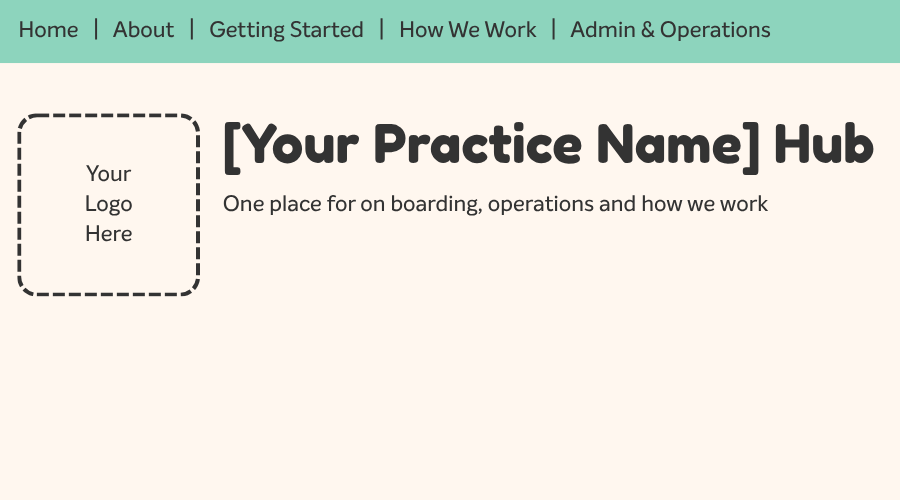
Every Hub is named for the practice it belongs to. Blast Off Hub. Reach Speech Hub. Yours will be [Your Practice Name] Hub.
And it doesn’t just carry your name. Your Hub is built in your colours, with your logo and your branding, so it looks and feels like your practice from the moment your team opens it.
Not a generic template with your name pasted on top.
Inside and out, it feels like the business your team already knows.
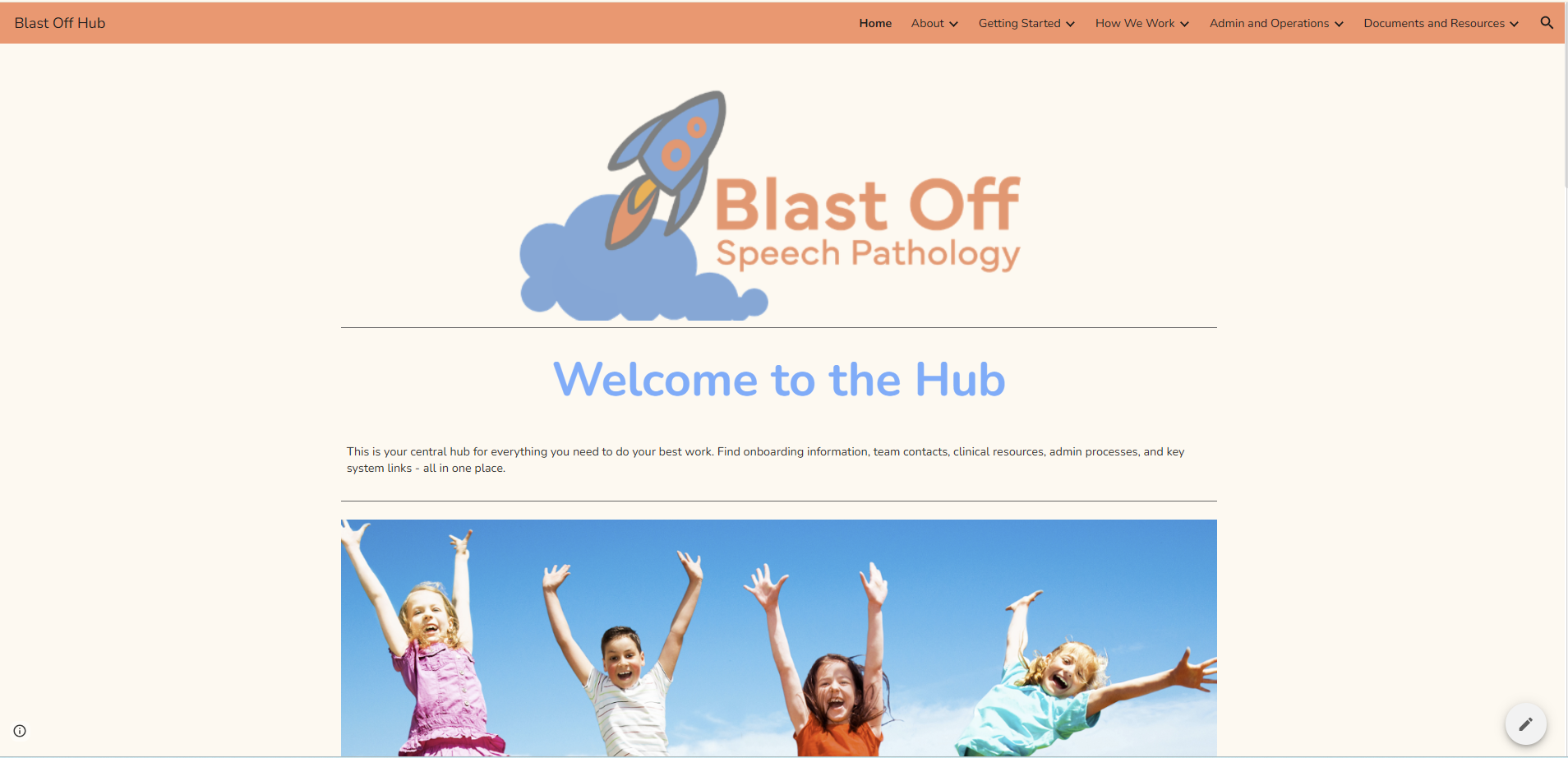
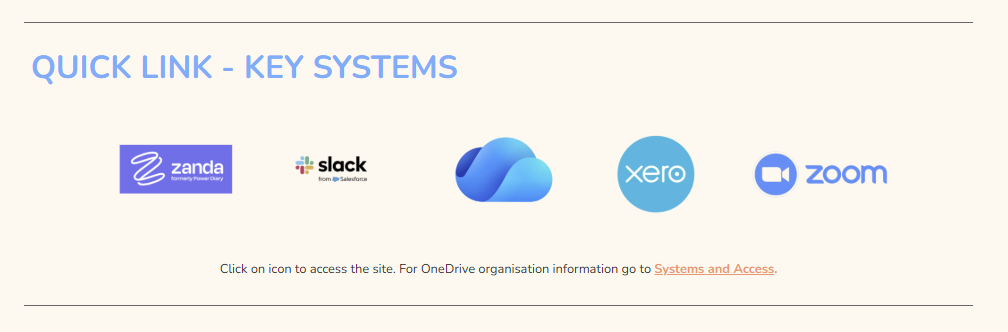
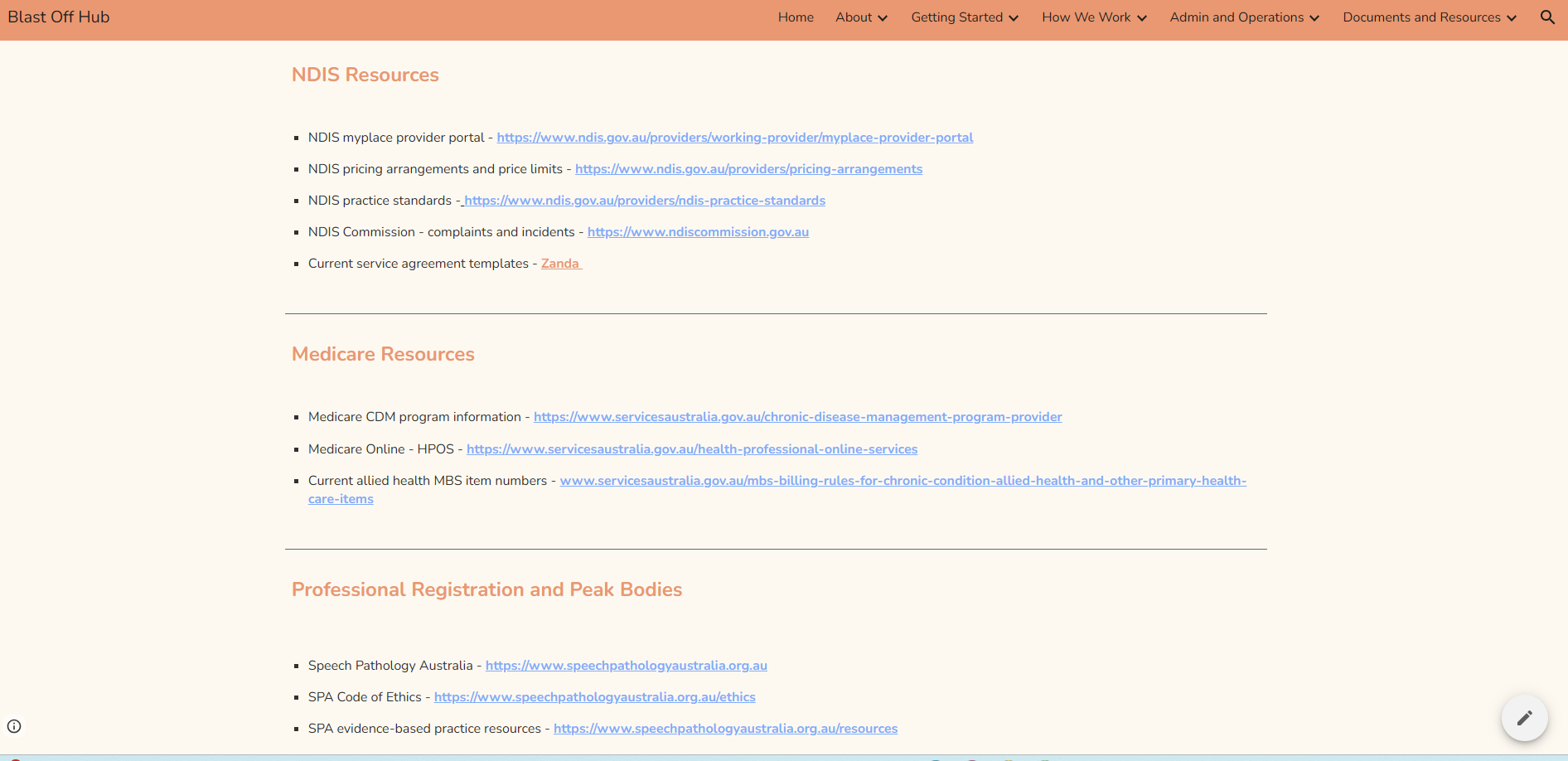
A peek inside a Hub
THEY KNOW WHAT TO DO BEFORE YOU’VE HAD TO SAY ANYTHING
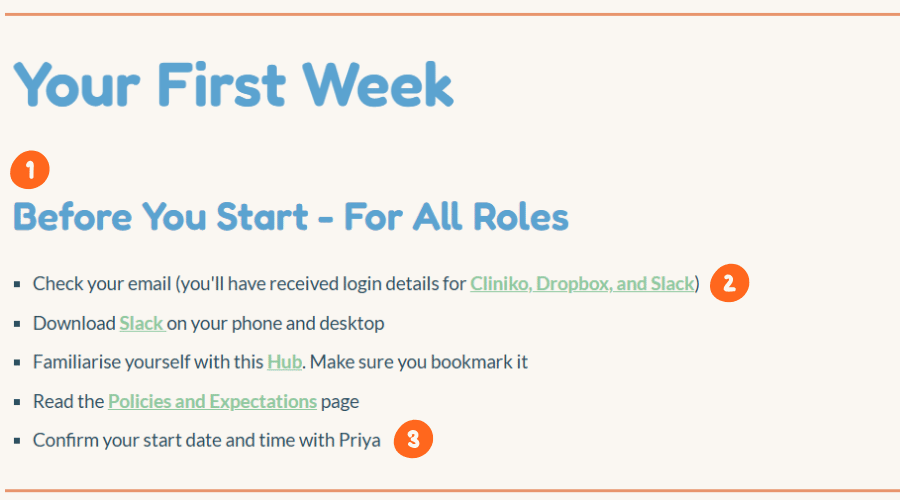
1. It starts before they do
They arrive already set up. No pre-start email chain from you.
2. Every link is live
Green means it goes somewhere. Nobody has to ask where things live.
3. A name, not a guess
They know who to go to. That person is not automatically you.
Every hub is named for the practice it belongs to
Is your hub next?
Practice Freedom Scorecard
Find out what’s keeping your practice dependent on you, where the pressure points are, and how a Practice Hub can help you create more freedom.
- Get your Business Freedom Score out of 100
- Discover what’s still relying on you
- Uncover how much of your time is tied up in repetitive questions and onboarding
- Receive your personalised Business Freedom Report with your next best step
This quiz takes approximately 5 minutes. You will see your score and the full report.
Please do not enter client names, identifying client information or clinical information. This scorecard is about how your practice operates.
Who are Practice Hubs built for?
Allied health practice owners with a growing team
Practice Hubs are built for allied health practice owners; speech pathologists, occupational therapists and other allied health professionals who are running a growing team and finding that too much of the practice still depends on them personally.
It’s a fit if:
- Your team comes to you for things they should be able to find themselves
- Onboarding a new team member means weeks of verbal explanations
- Your documents exist, but nobody can find them
- You couldn’t take two weeks of leave without your phone lighting up
- You’re the default answer to every question, big or small
You don’t need to have everything documented before we start. That’s the point of the build. I work with what you already have.
A new grad starts Monday
WITHOUT A HUB
8.45am
You meet them at the door and start explaining.
10.20am
They can’t get into Cliniko. You stop a session to sort it out.
12.10pm
You eat lunch at your desk, walking them through session notes.
2.30pm
They ask about cancellations. You answer from memory.
4.50pm
You realise you never covered escalation. Again.
You lost a day of clients.
They still have questions.
And you’ll do it all again tomorrow.
WITH A HUB
8.45am
You show them the Hub and make them a coffee.
10.20am
They log in with the details in Systems and Access, then watch the team walkthrough.
12.10pm
You have lunch together. You talk about them, not the software.
2.30pm
They read the cancellation process themselves.
4.50pm
They bring you two good questions. Not twenty.
You saw clients all day.
They had a great first day.
And tomorrow, you both know where to start.
Same new grad. Same Monday. The only difference is where the knowledge was sitting.
What’s included
A hub build turns your scattered documents, systems and know-how into one place your team can actually use.
Your Hub build includes
- A dashboard page plus five top-level sections
- 10-12 subpages, structured around your practice
- Branding so it looks and feels like yours; your colours, logo and style
- Organisation of your existing business information
- Onboarding and operations content, drafted from your voice memos. No writing required from you
- Embedded and linked documents, folders & screenshots
- A full handover: a walkthrough video for you, a separate one for your team, and a written guide
- Shown how to edit the Hub and add pages yourself – in both the walkthrough video and the written guide with templates for any new pages you want to create
- Recommended additions, so you know what to build next
What a Hub build is not
Just as useful as knowing what’s included is knowing what isn’t.
What’s not included
A Hub build is not:
- A full business manual or complete SOP library
- A full policy suite or HR, legal or compliance package
- A complete restructure of your files and folders
- An automation build
- Unlimited documentation writing
Those things can come later, and the Hub gives them somewhere to live. The Hub build does one thing well: it gets everything your team needs into one reliable place they can reach on the go, so they can get on with their work without waiting for you.
The things you’d say if you were standing there
YOUR JUDGEMENT, WRITTEN DOWN, SO NOBODY HAS TO GUESS IT
Bright Sky Hub › How We Work › Clinical escalation
Clinical escalation – when and how
Example:
“I noticed Sam didn’t engage with any of the communication strategies today and seemed withdrawn. I’m concerned something might be going on at home. What do you think we should do?”
The fear this removes.
A clinician who is worried at 4pm on a Friday now has the words, and knows who gets the call. They are not deciding alone whether it is big enough to bother you with.
Bright Sky Hub › How We Work › Strength-based practice
Strength-based practice
Instead of: “The child won’t follow instructions.”
We notice: “The child responds better to visual supports and clear, short instructions. Let’s use that.”
The fear this removes.
That a new clinician will practise like their last workplace, not like yours. Your clinical philosophy stops being something you hope they absorb and becomes something they can read.
Bright Sky Hub › Admin and Operations › Systems and Access › Slack
Slack – team communication
-
Slack is for internal team use only – no client information in Slack messages
-
Do not use Slack for sensitive clinical discussions. Instead use email or in-person
The fear this removes.
The boundary you have explained forty times and are never quite sure landed. Written once, in the place they already are.
How the build works
1.
hub chat
We talk about your practice, your team and what’s currently living in your head. No pressure, no pitch. Just working out whether a Hub is the right fit.
2.
Proposal and signing
You’ll receive a clear proposal with scope, pricing and timeline. Payment is split into four instalments of 25%, so nothing lands all at once.
3.
Voice memo intake
Instead of filling in long forms, you record voice memos answering simple prompts about how your practice actually runs. It’s the fastest way to get the knowledge out of your head. No writing required.
4.
The build
I build your Hub using your existing documents, folders, links and the intake material. You answer the occasional question along the way. Builds take 30-60 days depending on the practice. You’ll see a preview at around 80% before the final version.
5.
Handover
You receive your finished Hub with a walkthrough video for you, a separate video for your team, and a written handover guide, so the Hub gets used, not just admired. The Hub lives in your Google account. You own it outright from day one.

Hi I’m Ish
I’m not a consultant who learned about allied health. I’ve carried the caseload, done the onboarding at 8.45 on a Monday, and answered the same question four times before lunch.
Here’s the part practice owners worry about. To build your Hub, I have to see your practice as it actually is, mess and all.
I’ve seen inside a lot of practices. Every one has folders nobody can navigate, policies from three years ago and processes that only exist because you remember them. My own practice was exactly the same. That isn’t a failing. It’s what happens when a practice grows faster than its structure.
Your material stays yours. Nothing you show me goes anywhere else.
Investment
Pricing
Pricing is here so you can decide whether a Hub build is the right next step before we talk. One build pays for itself in the hours you stop losing to repeated questions, verbal handovers and onboarding that runs through you. And the value grows after rollout: your team finds answers on their own, hours come back to you every week, and when you take on someone new or change how you work, the structure is already there – so growth doesn’t mean documentation stress or overwhelm for you or your team.
Under 10 team members, one discipline
$4,750
+ GST
10+ team members, or more than one discipline
$5,700
+ GST
Current coaching clients
$3,800
+ GST
Team members include clinicians, admin, allied health assistants and contractors.
Paid in four instalments of 25%. First payment due on signing.
Build timeline is 30-60 days, depending on your practice size and how quickly you’d like the Hub ready for your team.
Built for practices like yours
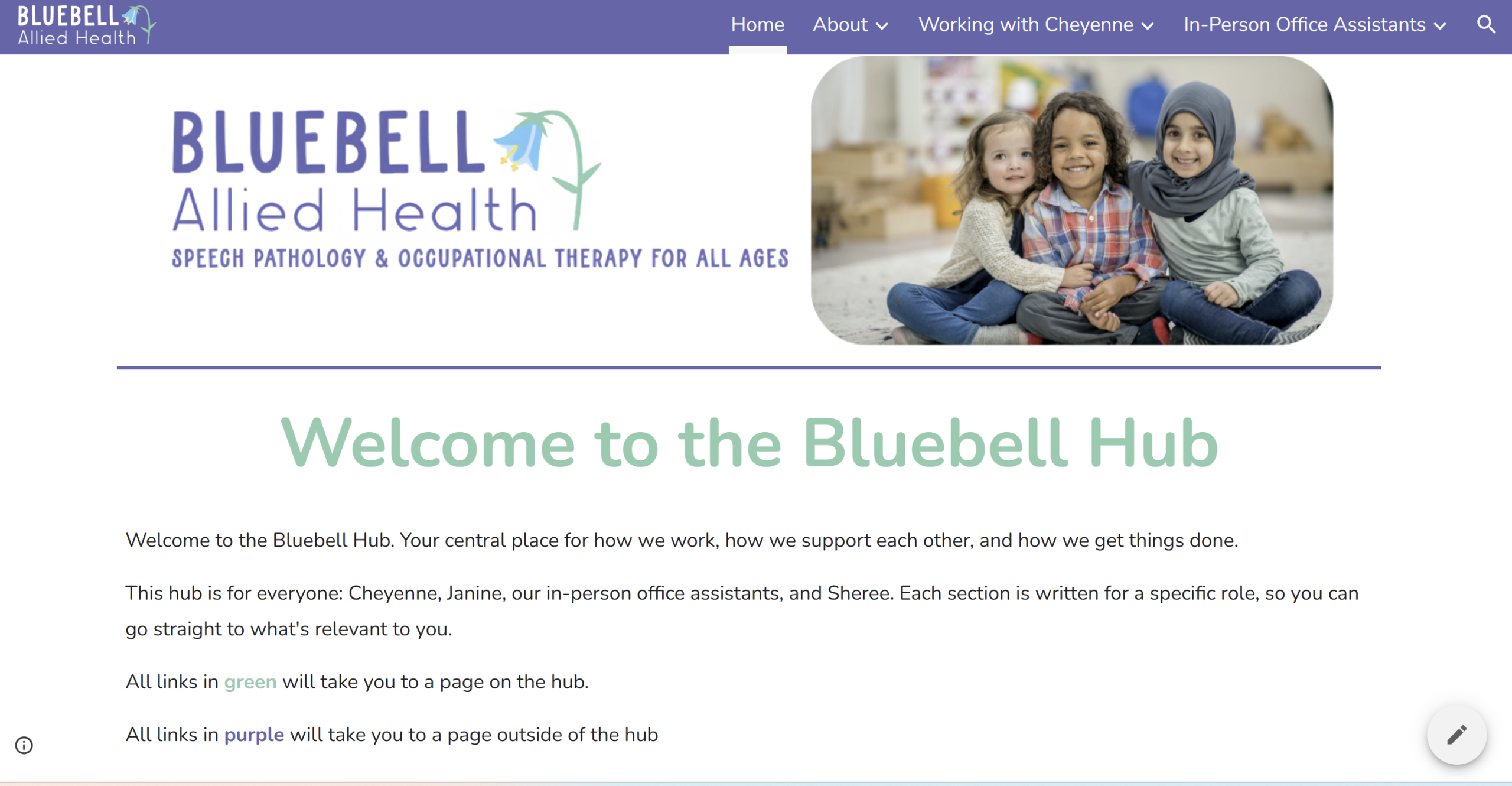
Three allied health practices, three different sets of needs: one multidisciplinary, one a multi-site speech pathology practice, and one with employees and student placements. Each Hub is structured around how that practice actually runs, not a template.
Blast Off – A dashboard that gives the team one place to start.
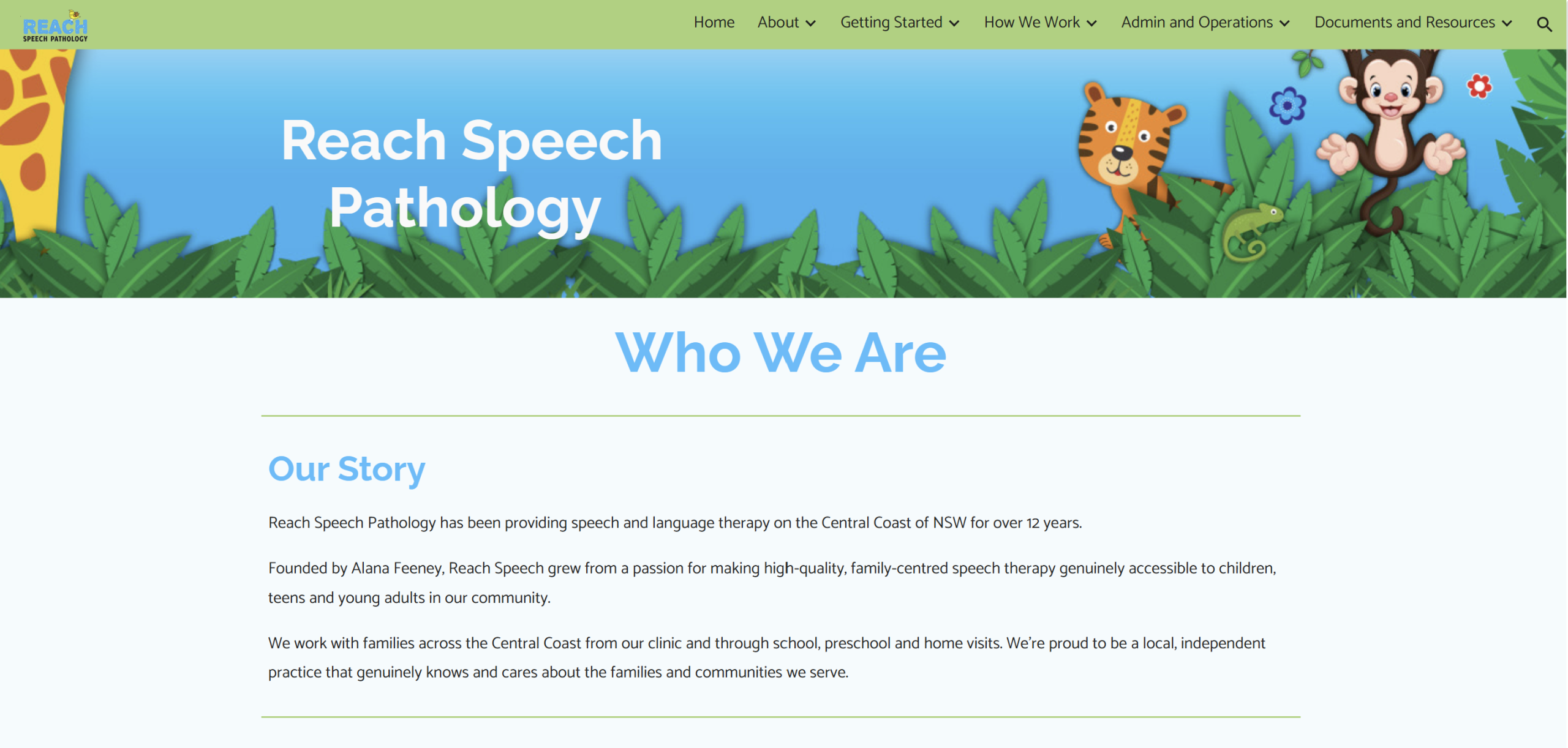
Reach Speech – Built for multiple sites, so every location works the same way.
Bluebell – Built so admin staff have the detail that usually only clinicians hold.
“Before working with Ish, all of our documents were stored in different files and locations, and we were not organised at all. It was often difficult and time-consuming to find the information we needed.
The Hub has helped us by bringing everything together in one clear, accessible and well-organised place. The information is structured in a way that makes sense for most speechie brains, which has made it so much easier for everyone to find what they need.
It now means that my team is less reliant on me to locate information, saving everyone time and reducing frustration. This allows me to spend more time focusing on what matters most, supporting my team and growing the business.
The process of working with Ish was amazing. She is warm, compassionate and incredibly supportive. She understands the challenges clinicians and business owners face because she has experienced them herself, she truly gets it. Ish takes the time to understand both the clinician and the business owner as a whole, and she offers practical suggestions, helpful tips and support across all areas.
I would recommend a Hub build to any practice owner who wants to improve organisation, efficiency and team independence. It is a genuine lifesaver that saves time, reduces frustration and makes information so much easier to access.
I highly, highly recommend Ish to build your Hub!“
Only if and when you want it
Where can a Hub go next?
Once your Hub is live and your team is using it, you’ll start to see what else you’d like added and all the ways the Hub can grow with the business as it changes, pivots or takes on new needs.
Your options include deeper SOPs, additional onboarding pathways, admin and clinical workflow libraries, recruitment and offboarding pathways, Hub audits, maintenance days and quarterly reviews. This next stage is always separate from your Hub build, and there’s never any obligation to continue.
Questions practice owners ask
How long does a build take?
Between 30 and 60 days, depending on the size of your practice and how quickly you’d like the Hub ready for your team. You’ll have a clearer estimate after our coffee chat.
How does payment work?
Four instalments of 25% each. The first on signing, then at the quarter, halfway and three-quarter points of your build. Payment is handled securely through Stripe.
I don't have time to create all this content. Is that a problem?
No, that’s exactly why the build works this way.You don’t write anything from scratch.
Most of what I need comes from voice memos you record on your phone in the gaps of your day. I’ll send you a short video showing how to do that and drop them into a Google Doc. You’ll give me access to wherever your files already live (OneDrive, Google Drive, Dropbox or similar).
I’ll gather everything else myself; your documents, links, even your logo and branding so the Hub links straight to what you’ve already got.
You’re welcome to send extra bits, but you don’t need to.
The point is to get this out of your hands, not add to your to-do list.
We already have folders and systems. Why would we need a Hub?
Folders store information. A Hub gives it meaning. It doesn’t just point your team to the document.
It tells them what matters, where to start, how the pieces connect, and the why behind it: the reasoning and context that usually only lives in your head. Having systems is not the same as your team understanding them.
Is this a full policy manual or SOP library?
No. A Hub build organises and drafts your core onboarding and operations content. Deeper documentation can come later, and your Hub gives it a home when you’re ready.
Does a Hub make us NDIS-ready?
Not on its own. A Hub captures how your practice operates, which is a big part of the groundwork for registration. Formal policies still need to live as controlled documents with version control and approval dates. The Hub links to them rather than replacing them.
If NDIS registration is on your horizon, mention it on the coffee chat. I can build your Hub so it makes registration far easier when you get there. It won’t make you compliant on its own, but it means the groundwork is already organised and in one place instead of scattered when you need it.
What happens at handover?
You receive your finished Hub along with a walkthrough video for you as the owner, a separate walkthrough video for your team, and a written handover guide. Both the video and the guide show you how to edit the Hub and add new pages yourself, with templates for any pages you want to create. You own the Hub outright. It lives in your Google account, and you can update it yourself from day one.
Will my team actually use it?
That’s what the handover is designed for. The team walkthrough video shows them exactly how to use the Hub and why it matters, and because you give them access from day one, they can click along as they watch and explore the Hub as they go, so it’s easy to use from the start.
The structure is built around how your practice actually works, not a generic template, so the Hub becomes the natural answer to “where do I find that?”
Do you only work with speech pathology practices?
Practice Hubs are built for allied health practices of all kinds. I’m a speech pathologist myself, but the work I do; getting a practice out of the owner’s head and into a structure the team can use, applies just as well to OT, physio, psychology and beyond.
If you run a team and too much of the practice depends on you, it’s definitely worth a chat.
I'm a current coaching client. Is the lower price for me?
Yes. If you’re in a 12-session coaching package with me now, your Hub build is $3,800 + GST. I already know you, your practice and what your Hub needs, so we can skip the coffee chat and dive straight into voice memos and building.
Is our Hub private?
Yes. Your Hub sits in your own Google account and only the people you give access to can open it. It isn’t public. It holds your processes, systems and how you work rather than client records, and you control who can see it from the day it’s handed over.
We use Microsoft, not Google. Does this still work?
Yes. Plenty of the practices I build for run on Microsoft 365 and OneDrive, and their Hubs work exactly the same way. The Hub is the place your team looks first, and it links out to wherever your documents already live. You don’t need to move your files, change your systems or buy anything new.
How much of my time does the build take?
Around three to four hours in total, spread across the whole build. That’s the Hub chat, the voice memos you record in the gaps of your day, a few questions from me along the way, and a look at the preview. There’s no writing, no forms and no long meetings.
You've never worked in my practice. How can you build our systems?
I’m not building your systems. You already have them. They’re living in your head, in five different folders, and in the answers you give people on the way past their desk.
What I bring is 26 years in speech pathology, my own years running a practice, and a lot of time coaching other practice owners. So I know which questions to ask and what usually gets missed. What you bring is how your practice actually runs. The Hub is your practice, structured. Not my version of how a practice should work.
Ready to get your practice out of your head?
Book a chat. We’ll talk about your practice, what’s currently piling up on you, and whether a Hub is the right next step. No pressure either way.